LMS
ETEACHER LMS - AI PRACTICE
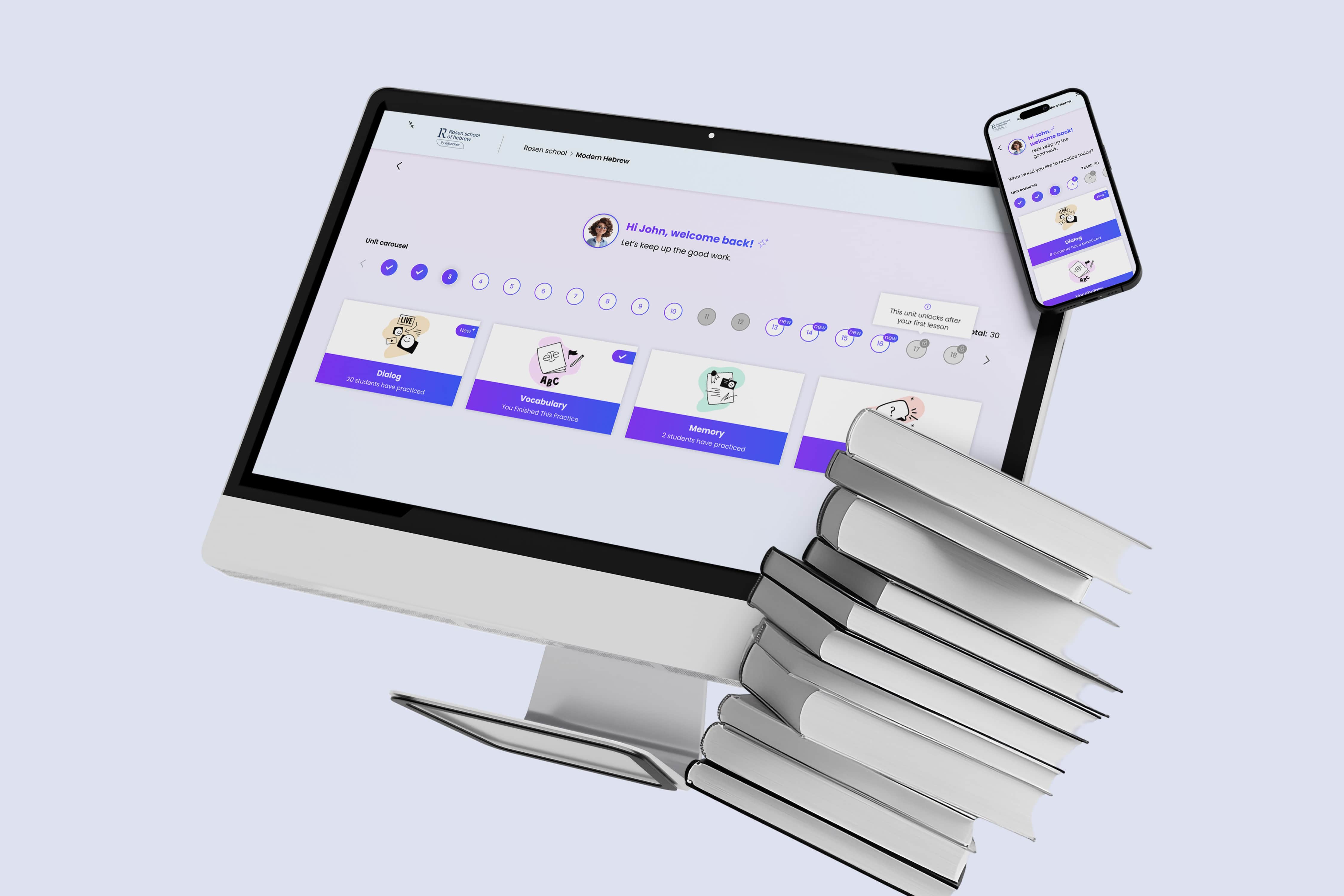
eTeacher is a multi-school learning platform. This case study focuses on introducing a scalable AI practice layer — expanding from a single exercise into multiple learning modes while maintaining clarity and learning continuity.
Role & Responsibilities :
User flows, Wireframes, Prototypes, UI design, Design system, Client management
Tools :
Figma, Illustrator, Photoshop, After Effects, Monday, ChatGPT
General Challenge
Introducing AI-based practice into an existing LMS in a gradual, scalable way - without overwhelming users or breaking existing learning flows across multiple schools.
SPECIFIC CHALLENGES & Solutions
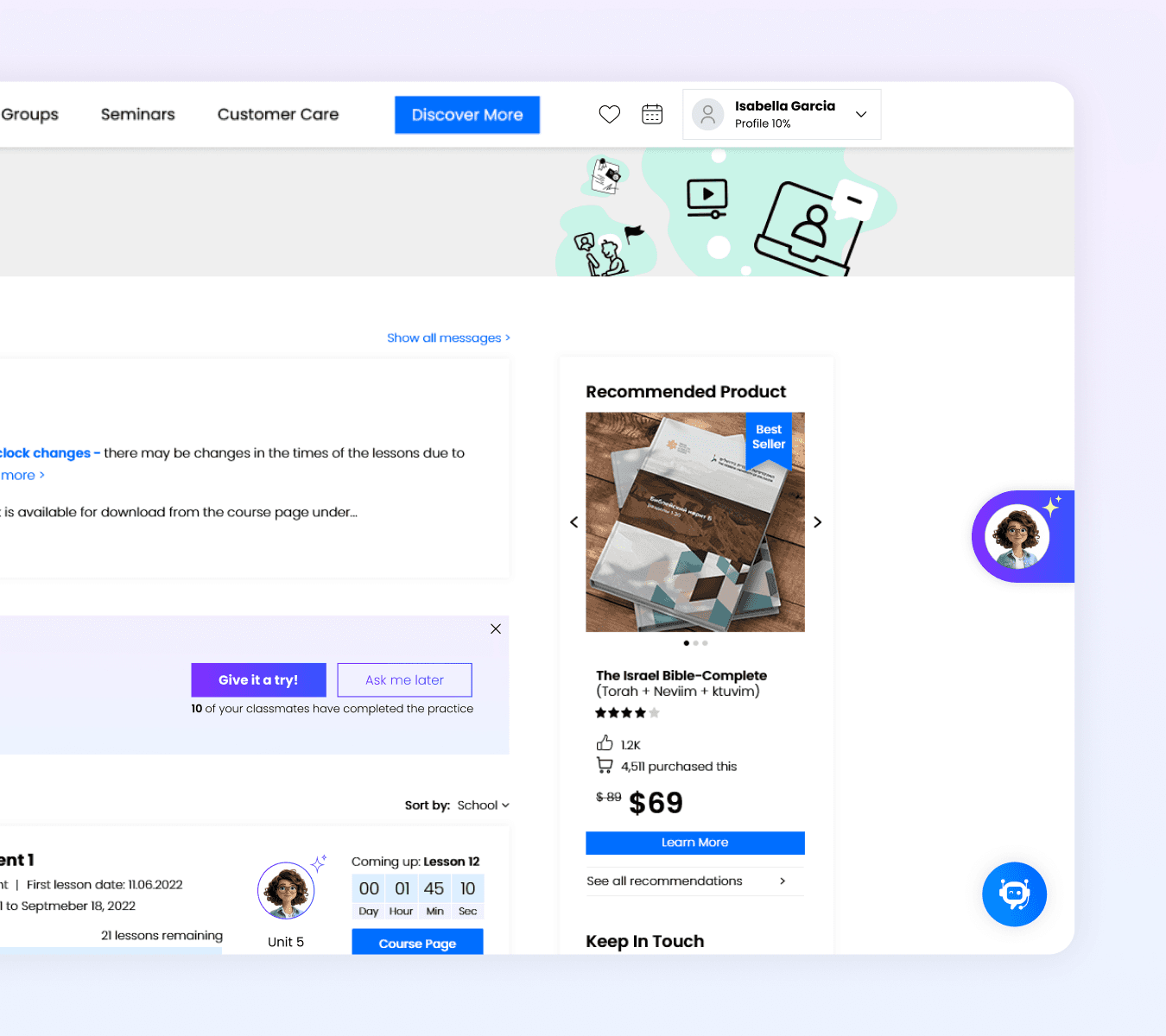

Challenge 1: Establishing AI Trust & Tone
Design a welcoming, trustworthy UI for the new AI chatbot (Rosie, Jacob, Julian) while aligning with the platform’s diverse brand ecosystem.
Solution: AI Look & Feel & Branding Concept
Defined a distinct AI visual language (gradients, purple accents) to signal trust and approachability, while keeping AI bots (Rosie, Jacob, and Julian) visually separated from the schools’ brands to avoid confusion between human-led content and AI-driven
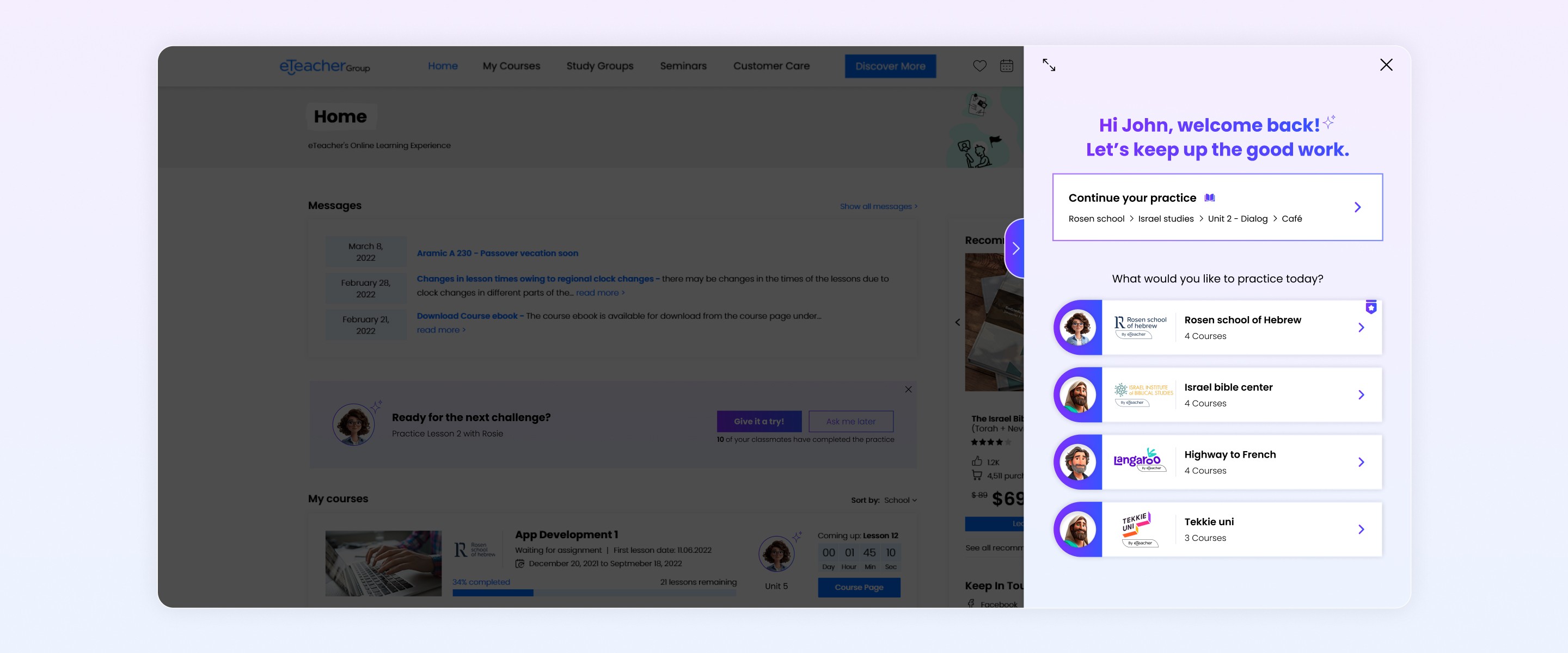
Challenge 2: Multi-Tenancy Onboarding & Context Management
Guide users seamlessly between four distinct schools (e.g., Rosen Hebrew School, Institute of Bible studies) and allow instant continuation of the last exercise without complex navigation.
Solution: Contextual User Routing
Designed the initial flow based on purchased courses and offer continue last practice shortcut, minimizing choice overload and immediately routing the user to the correct school context.
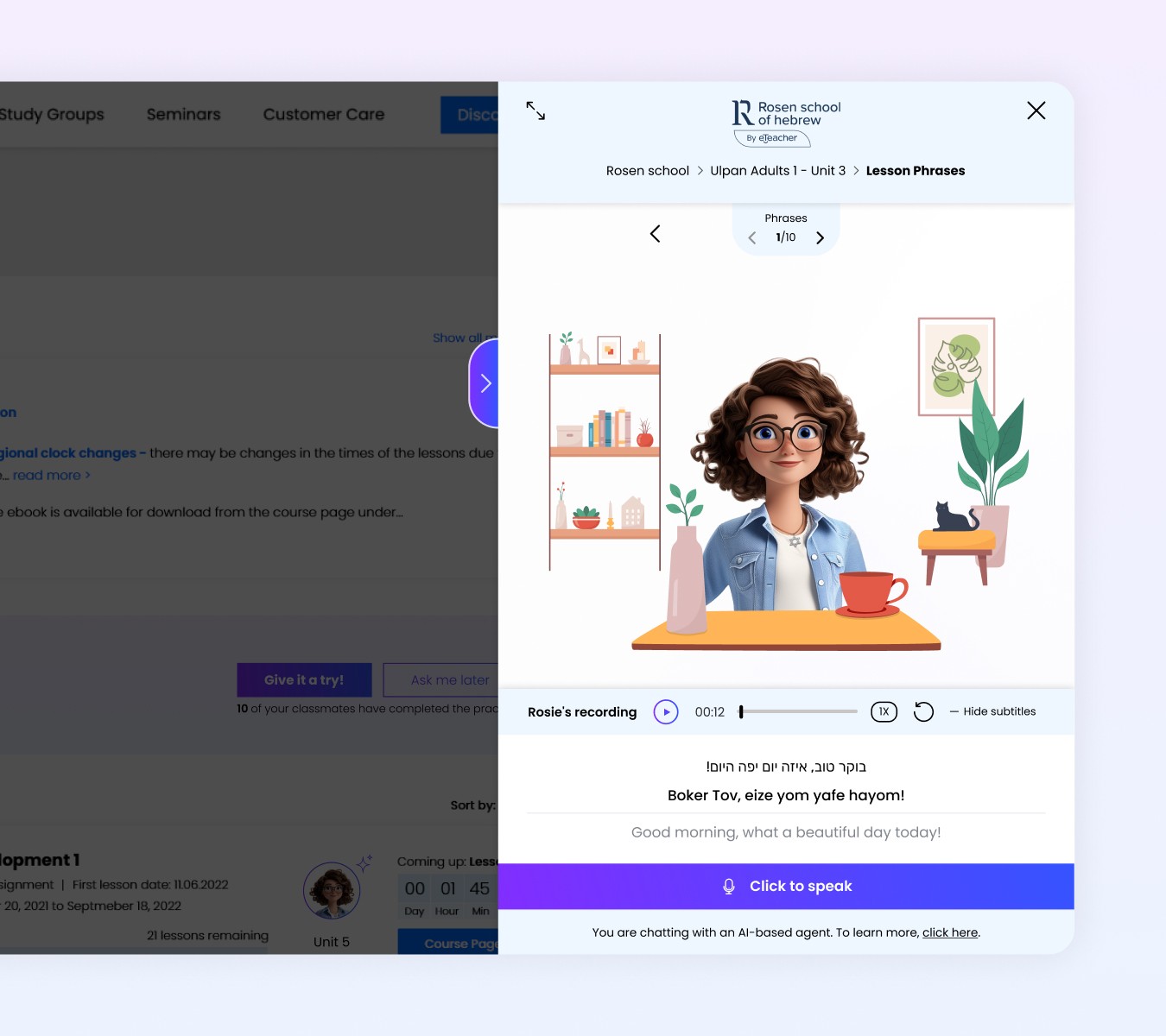
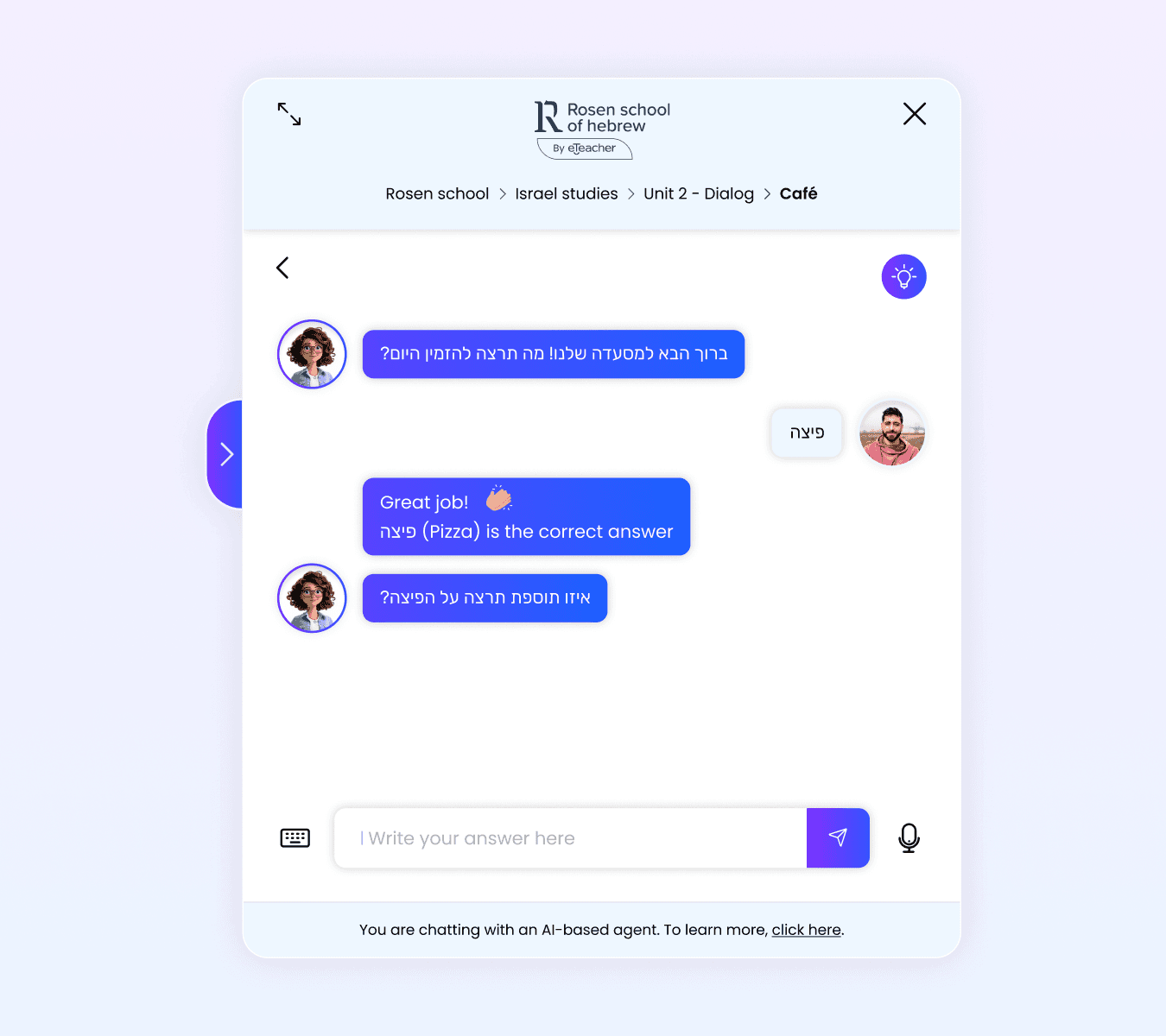
Challenge 3: Designing for Incremental AI Growth
Introduce new AI practice types over time - starting with text-based practice and later adding voice and podcasts - without breaking the mental model or forcing users to relearn the system.
Solution: Scalable Practice Architecture
Designed a consistent practice framework where new AI capabilities could be added gradually, while keeping familiar entry points, navigation patterns, and interaction logic - allowing the product to evolve without disrupting existing users.
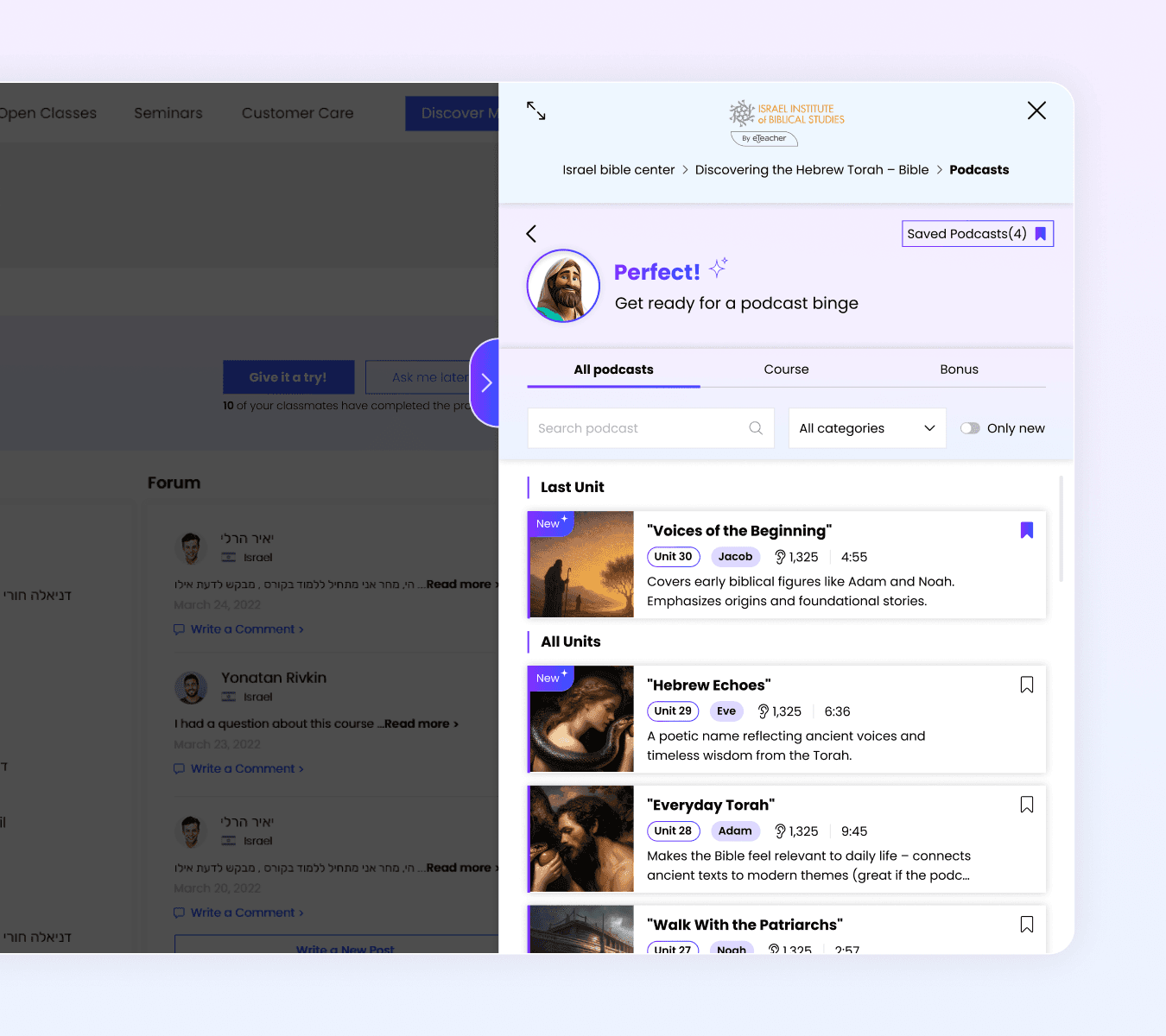
Challenge 4: Structuring Podcast Content with Mixed Contexts
Organize podcasts page that include both course-related and standalone episodes.
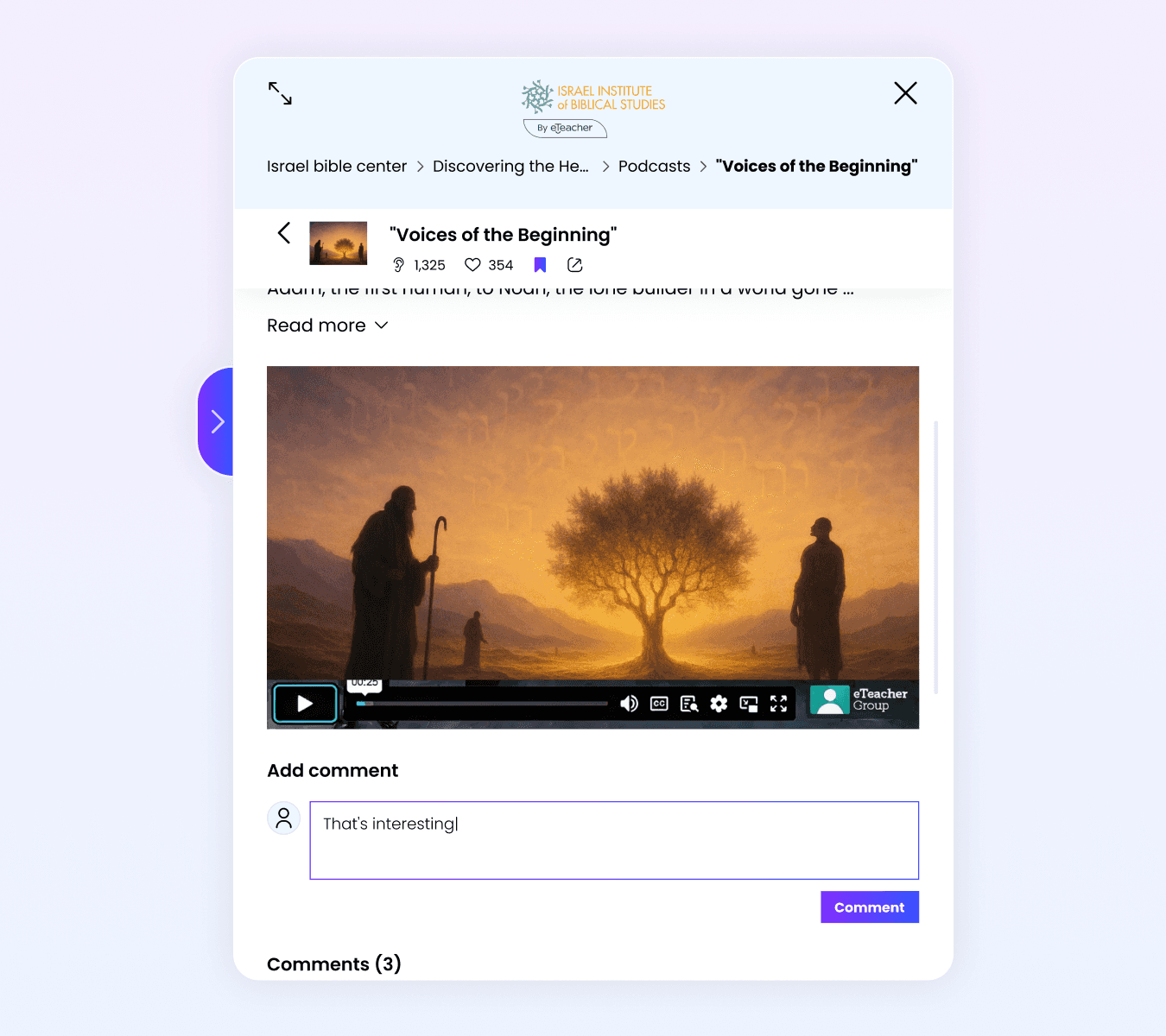
Solution: Context-Rich Podcast Archive
Designed a structured podcast archive with clear content-type filters (course/bonus), category tagging, and informative podcast cards - allowing students to quickly understand relevance and choose what to listen to.
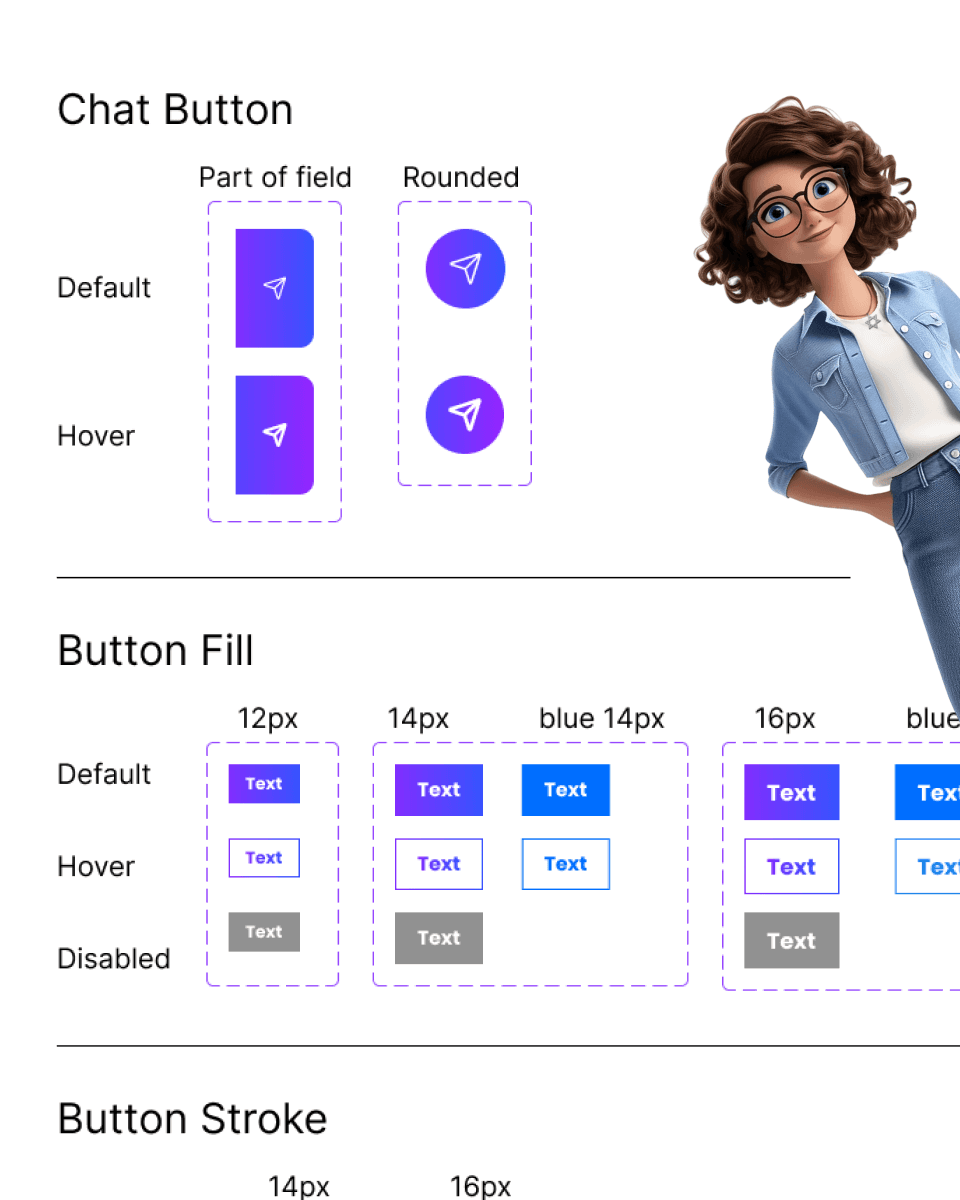
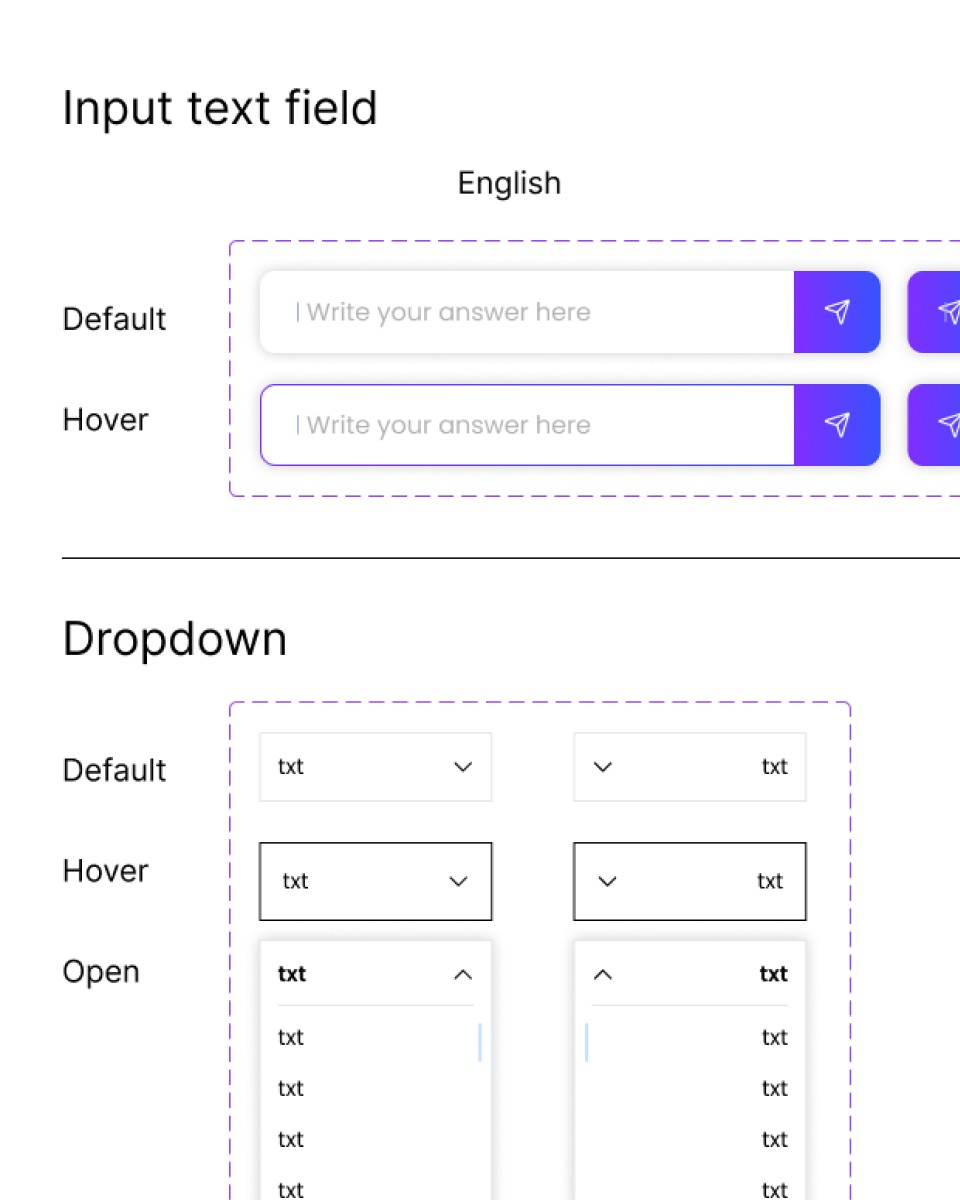
Design system

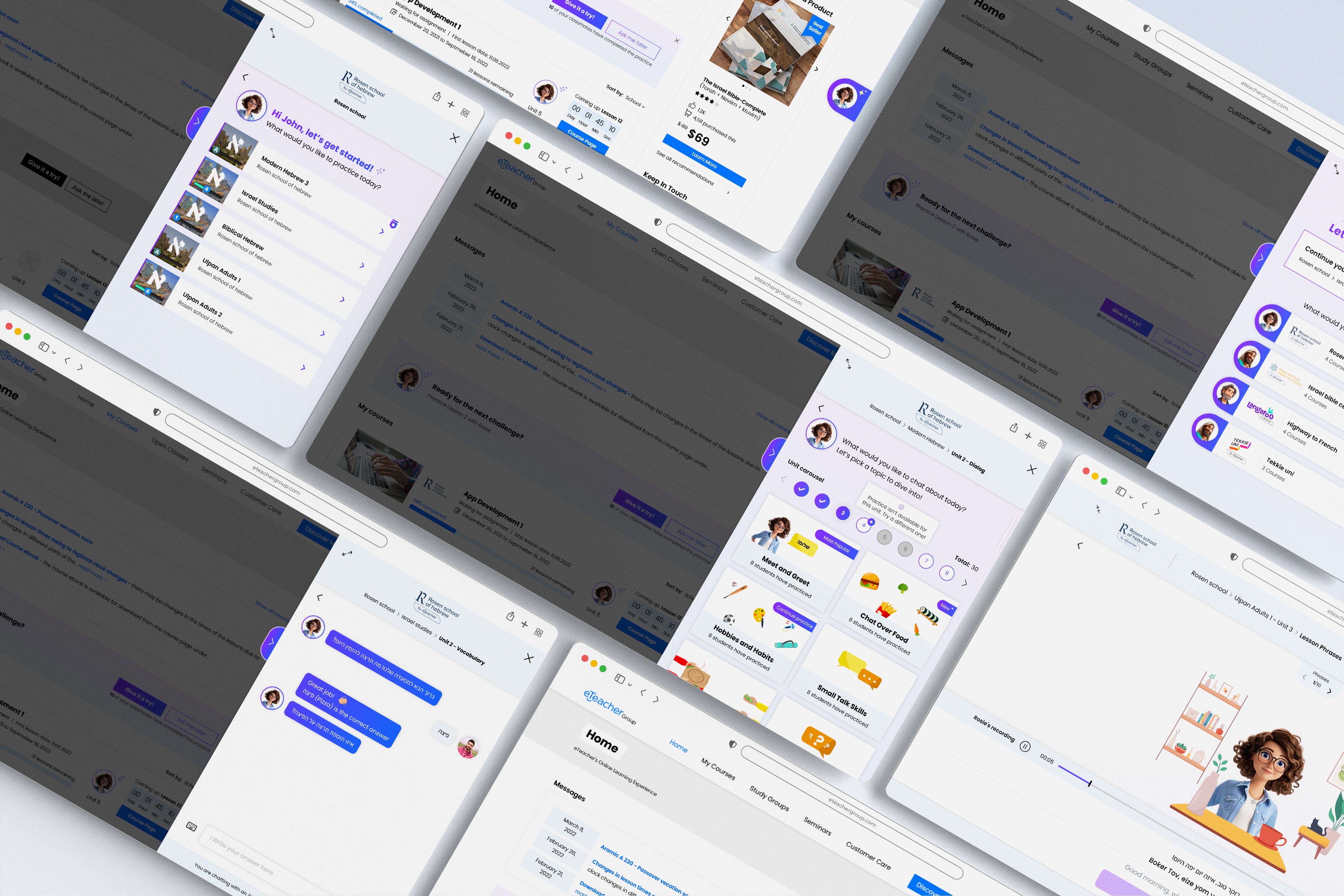
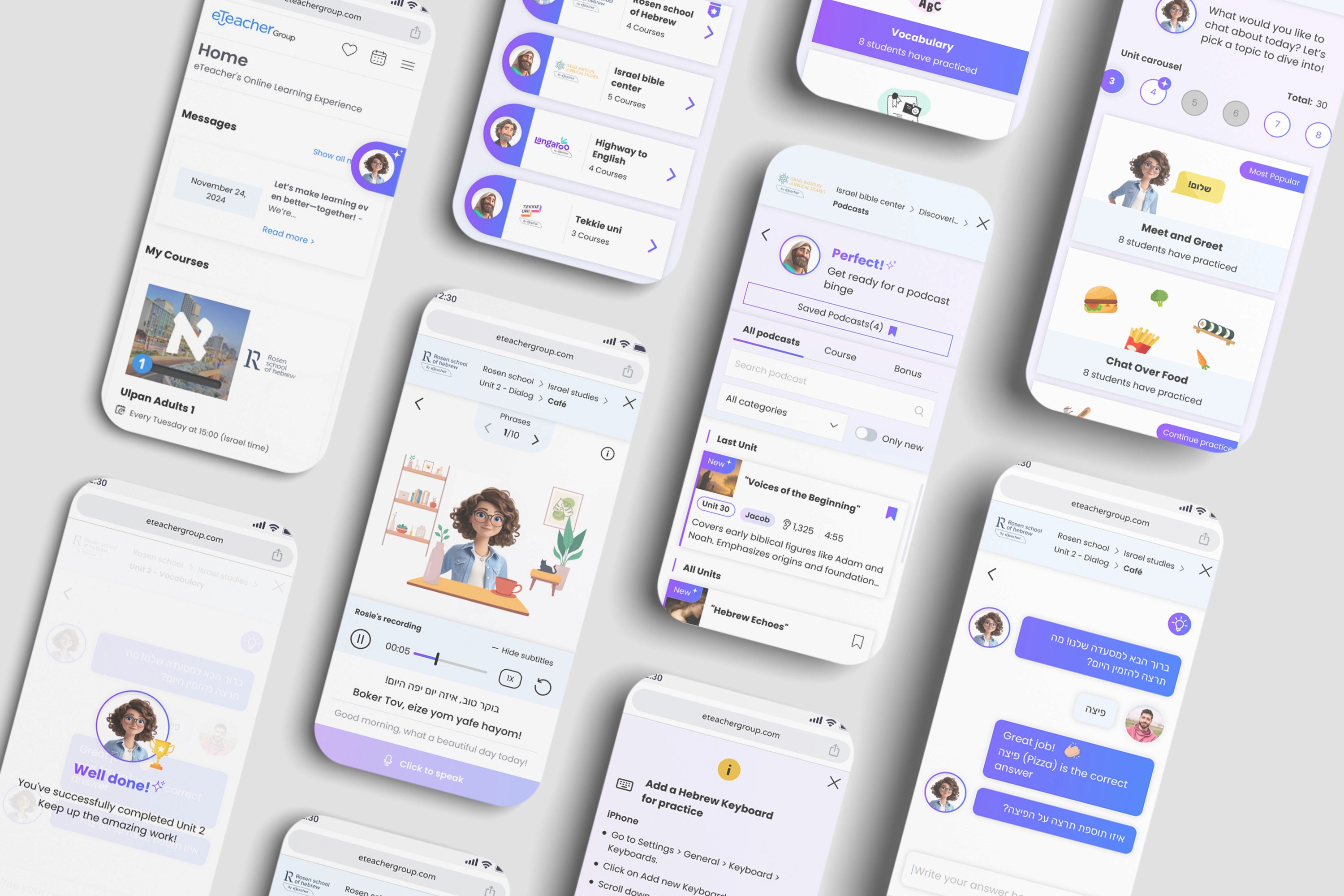
UI Overview
More Projects


LMS
ETEACHER LMS - AI PRACTICE
eTeacher is a multi-school learning platform. This case study focuses on introducing a scalable AI practice layer — expanding from a single exercise into multiple learning modes while maintaining clarity and learning continuity.
Role & Responsibilities :
User flows, Wireframes, Prototypes, UI design, Design system, Client management
Tools :
Figma, Illustrator, Photoshop, After Effects, Monday, ChatGPT
General Challenge
Introducing AI-based practice into an existing LMS in a gradual, scalable way - without overwhelming users or breaking existing learning flows across multiple schools.
SPECIFIC CHALLENGES & Solutions
Challenge 1: Establishing AI Trust & Tone
Design a welcoming, trustworthy UI for the new AI chatbot (Rosie, Jacob, Julian) while aligning with the platform’s diverse brand ecosystem.
Solution: AI Look & Feel & Branding Concept
Defined a distinct AI visual language (gradients, purple accents) to signal trust and approachability, while keeping AI bots (Rosie, Jacob, and Julian) visually separated from the schools’ brands to avoid confusion between human-led content and AI-driven
Challenge 2: Multi-Tenancy Onboarding & Context Management
Guide users seamlessly between four distinct schools (e.g., Rosen Hebrew School, Institute of Bible studies) and allow instant continuation of the last exercise without complex navigation.
Solution: Contextual User Routing
Designed the initial flow based on purchased courses and offer continue last practice shortcut, minimizing choice overload and immediately routing the user to the correct school context.
Challenge 3: Designing for Incremental AI Growth
Introduce new AI practice types over time - starting with text-based practice and later adding voice and podcasts - without breaking the mental model or forcing users to relearn the system.
Solution: Scalable Practice Architecture
Designed a consistent practice framework where new AI capabilities could be added gradually, while keeping familiar entry points, navigation patterns, and interaction logic - allowing the product to evolve without disrupting existing users.
Challenge 4: Structuring Podcast Content with Mixed Contexts
Organize podcasts page that include both course-related and standalone episodes.
Solution: Context-Rich Podcast Archive
Designed a structured podcast archive with clear content-type filters (course/bonus), category tagging, and informative podcast cards - allowing students to quickly understand relevance and choose what to listen to.
Design system
UI Overview
More Projects
LMS
ETEACHER LMS - AI PRACTICE
eTeacher is a multi-school learning platform. This case study focuses on introducing a scalable AI practice layer — expanding from a single exercise into multiple learning modes while maintaining clarity and learning continuity.
Role & Responsibilities :
User flows, Wireframes, Prototypes, UI design, Design system, Client management
Tools :
Figma, Illustrator, Photoshop, After Effects, Monday, ChatGPT
General Challenge
Introducing AI-based practice into an existing LMS in a gradual, scalable way - without overwhelming users or breaking existing learning flows across multiple schools.
SPECIFIC CHALLENGES & Solutions
Challenge 1: Establishing AI Trust & Tone
Design a welcoming, trustworthy UI for the new AI chatbot (Rosie, Jacob, Julian) while aligning with the platform’s diverse brand ecosystem.
Solution: AI Look & Feel & Branding Concept
Defined a distinct AI visual language (gradients, purple accents) to signal trust and approachability, while keeping AI bots (Rosie, Jacob, and Julian) visually separated from the schools’ brands to avoid confusion between human-led content and AI-driven
Challenge 2: Multi-Tenancy Onboarding & Context Management
Guide users seamlessly between four distinct schools (e.g., Rosen Hebrew School, Institute of Bible studies) and allow instant continuation of the last exercise without complex navigation.
Solution: Contextual User Routing
Designed the initial flow based on purchased courses and offer continue last practice shortcut, minimizing choice overload and immediately routing the user to the correct school context.
Challenge 3: Designing for Incremental AI Growth
Introduce new AI practice types over time - starting with text-based practice and later adding voice and podcasts - without breaking the mental model or forcing users to relearn the system.
Solution: Scalable Practice Architecture
Designed a consistent practice framework where new AI capabilities could be added gradually, while keeping familiar entry points, navigation patterns, and interaction logic - allowing the product to evolve without disrupting existing users.
Challenge 4: Structuring Podcast Content with Mixed Contexts
Organize podcasts page that include both course-related and standalone episodes.
Solution: Context-Rich Podcast Archive
Designed a structured podcast archive with clear content-type filters (course/bonus), category tagging, and informative podcast cards - allowing students to quickly understand relevance and choose what to listen to.
Design system
UI Overview