Complex Systems
Analytify - AI Data Onboarding
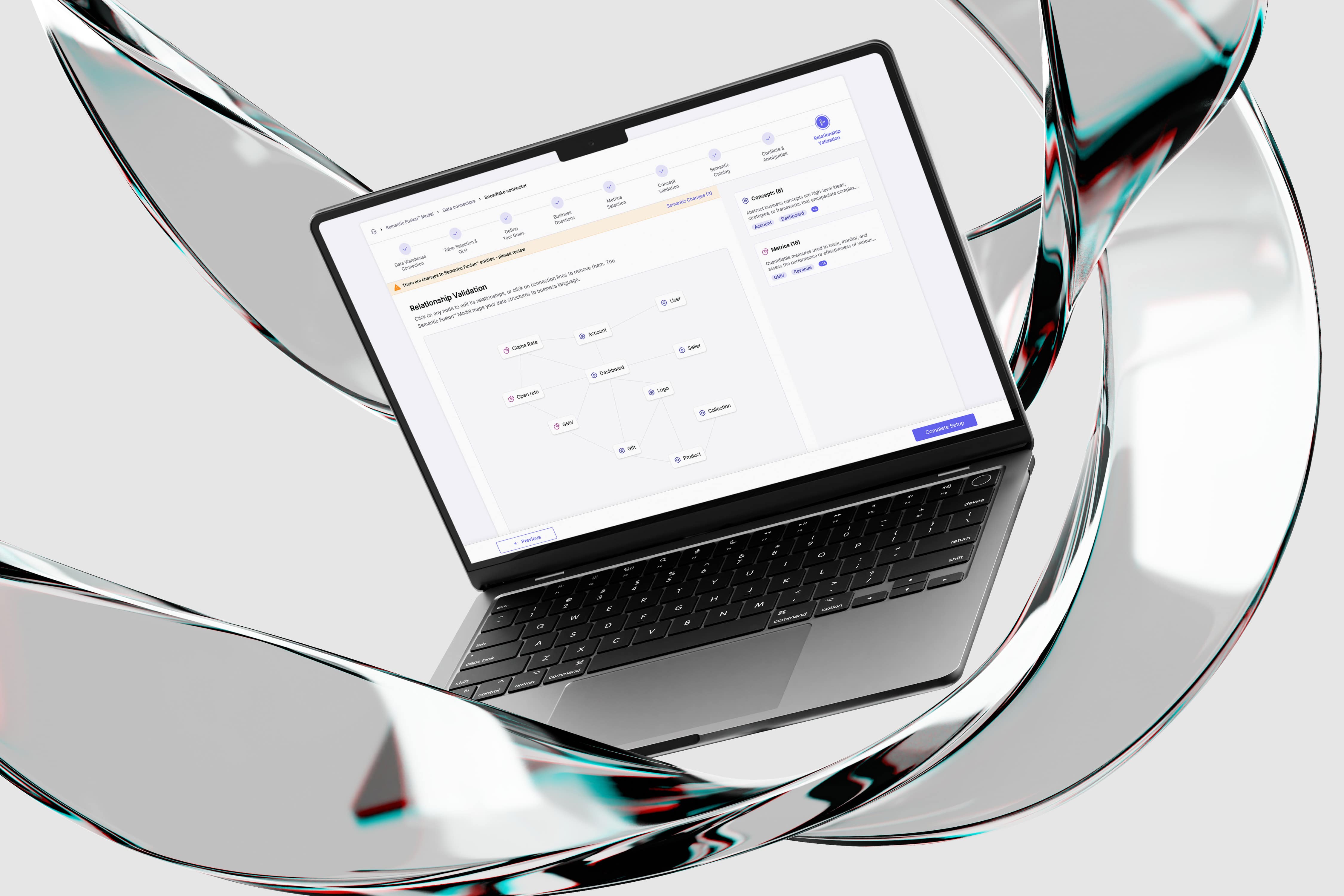
Analytify is an AI-powered data platform. This case study focuses on the design of a self-service onboarding flow that enables executive users to independently connect data and define goals within a complex AI-driven system.
Role & Responsibilities :
UX & UI design, End-to-end flow definition, Design system contribution, Client collaboration
Tools :
Figma, After Effects
General Challenge
The challenge was to design a user-facing onboarding experience for a process that previously existed only as a technical, support-led workflow.
I needed to translate complex backend requirements and data operations into a clear, guided flow that executive users could complete independently - while making invisible system processes visible enough to build trust and confidence.
Specific Challenges & Solutions
Challenge 1: Conflicts & Ambiguities stage
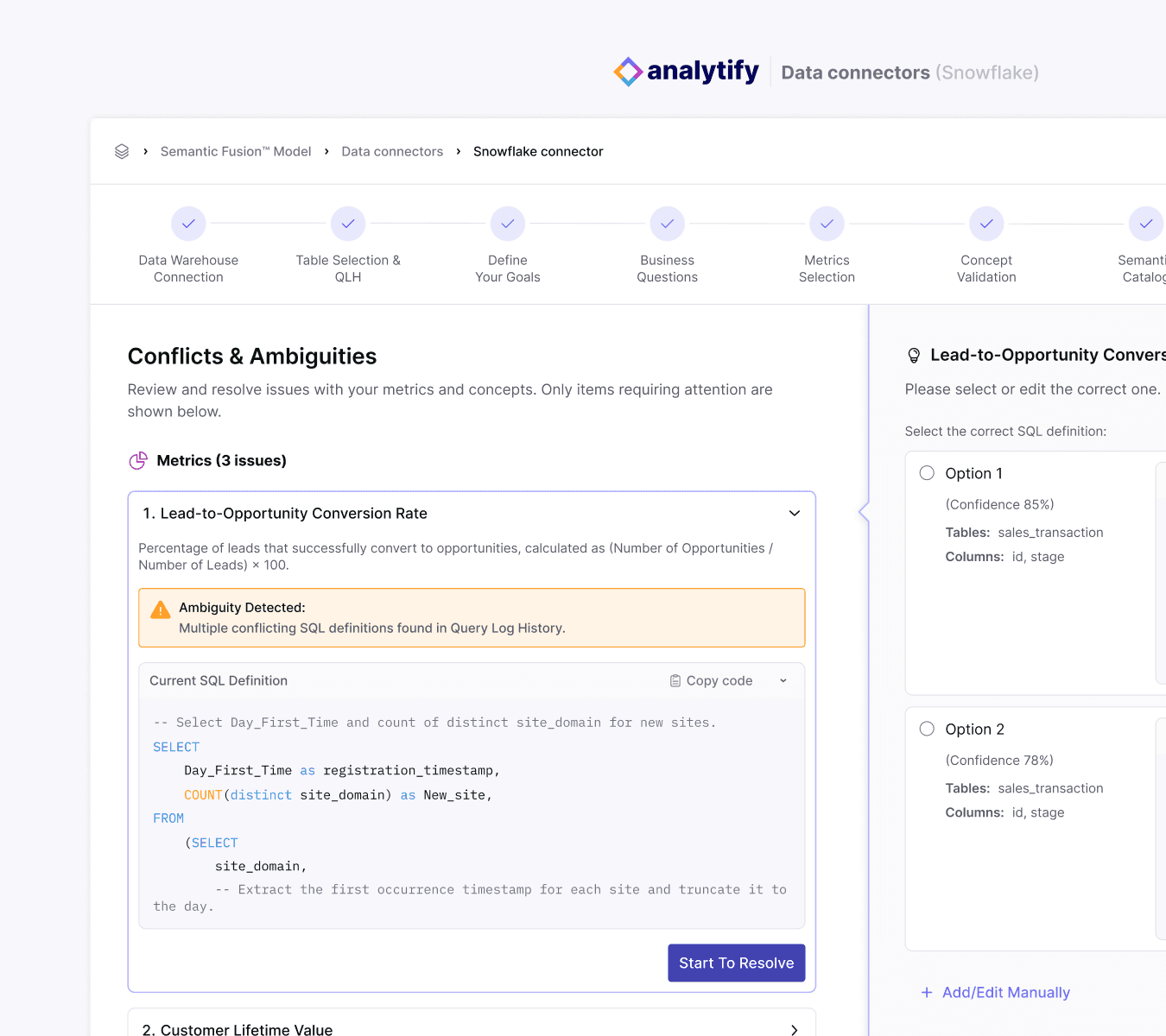
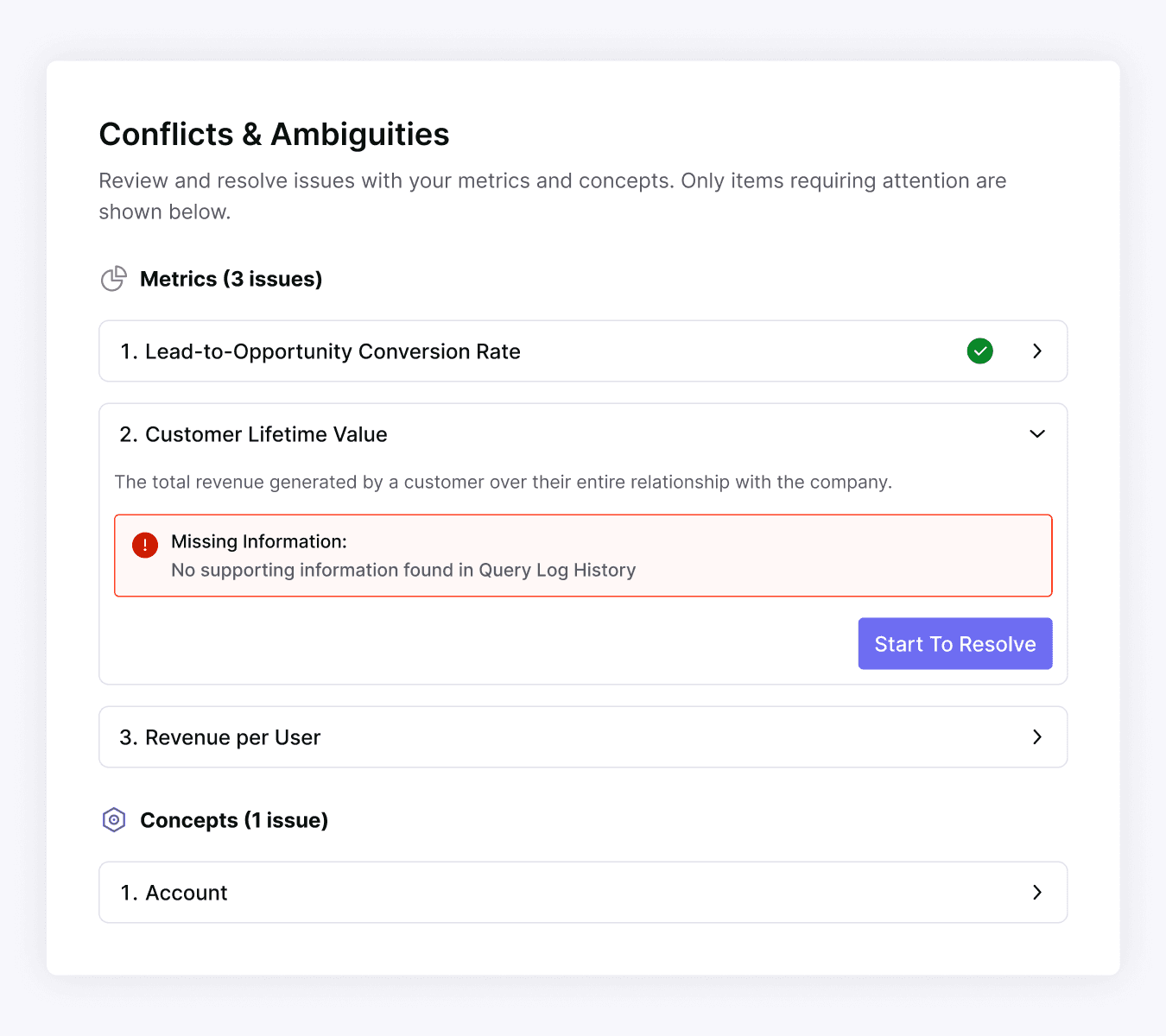
This was defined by the client as the most complex step in the onboarding flow. The system surfaces data conflicts and ambiguities that could impact analysis accuracy, requiring users to actively participate in resolving them - without overwhelming non-technical executive users.
Solution:
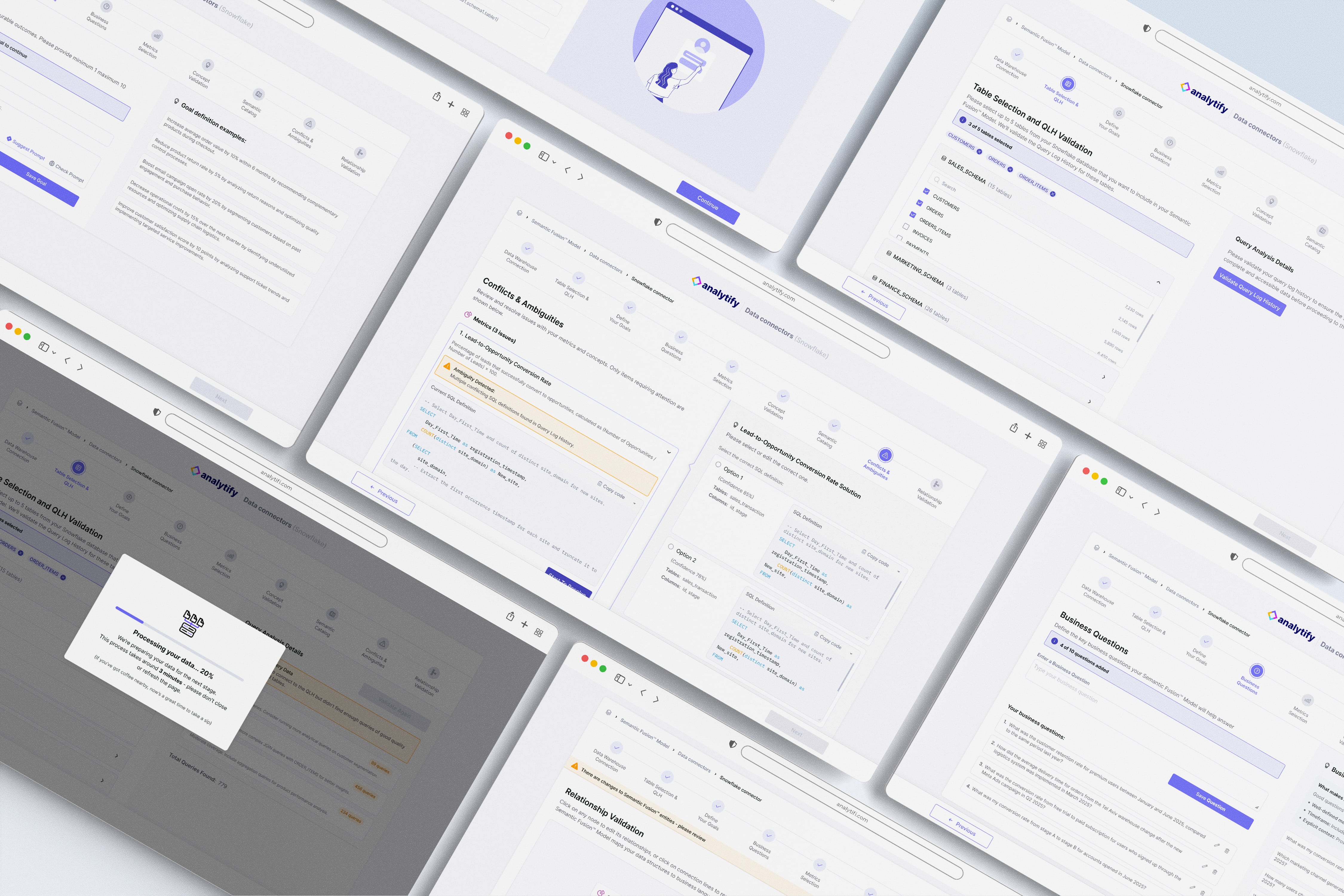
Simplified conflict resolution by grouping issues into clear categories and revealing them progressively. Each issue is addressed individually through a focused resolution flow, combining system-suggested solutions with an optional manual SQL override. Clear resolution states reinforce progress and give users confidence that issues are handled correctly.
Challenge 2: Table Selection & QLH stage
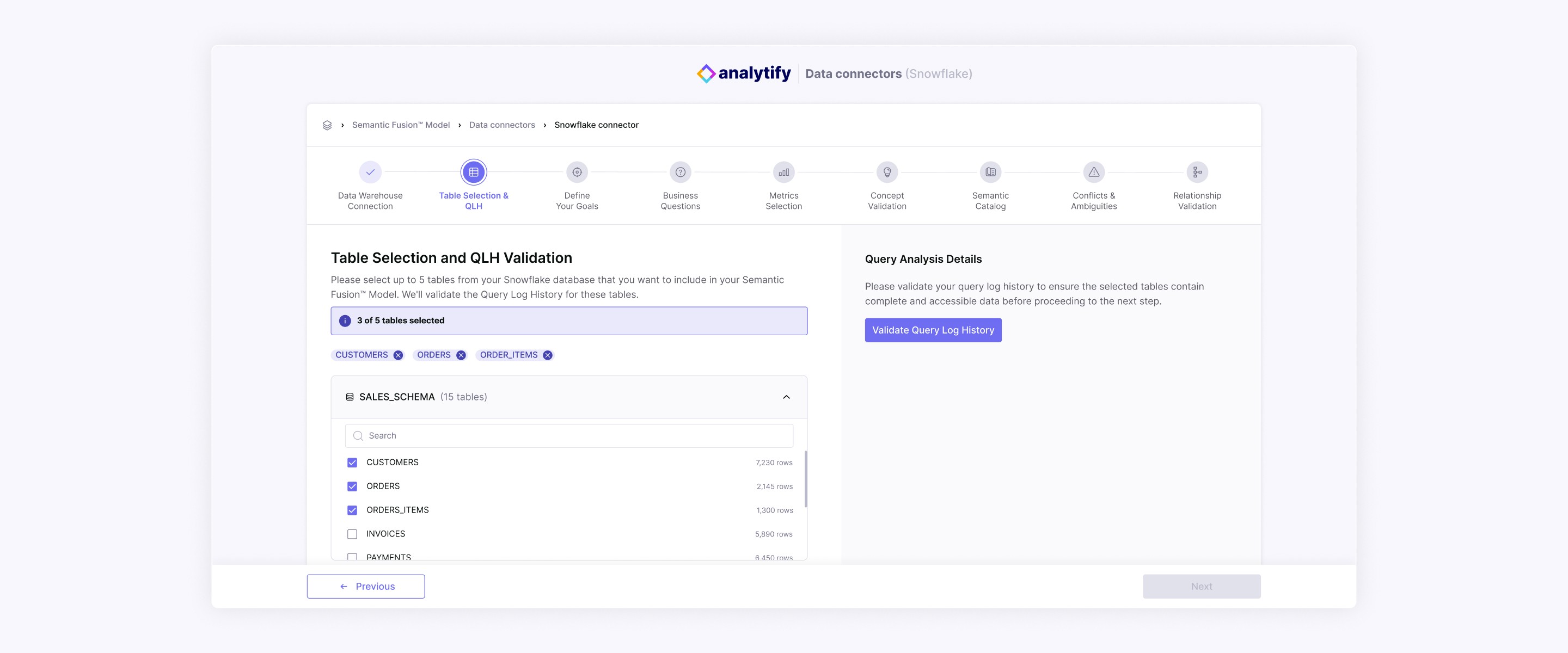
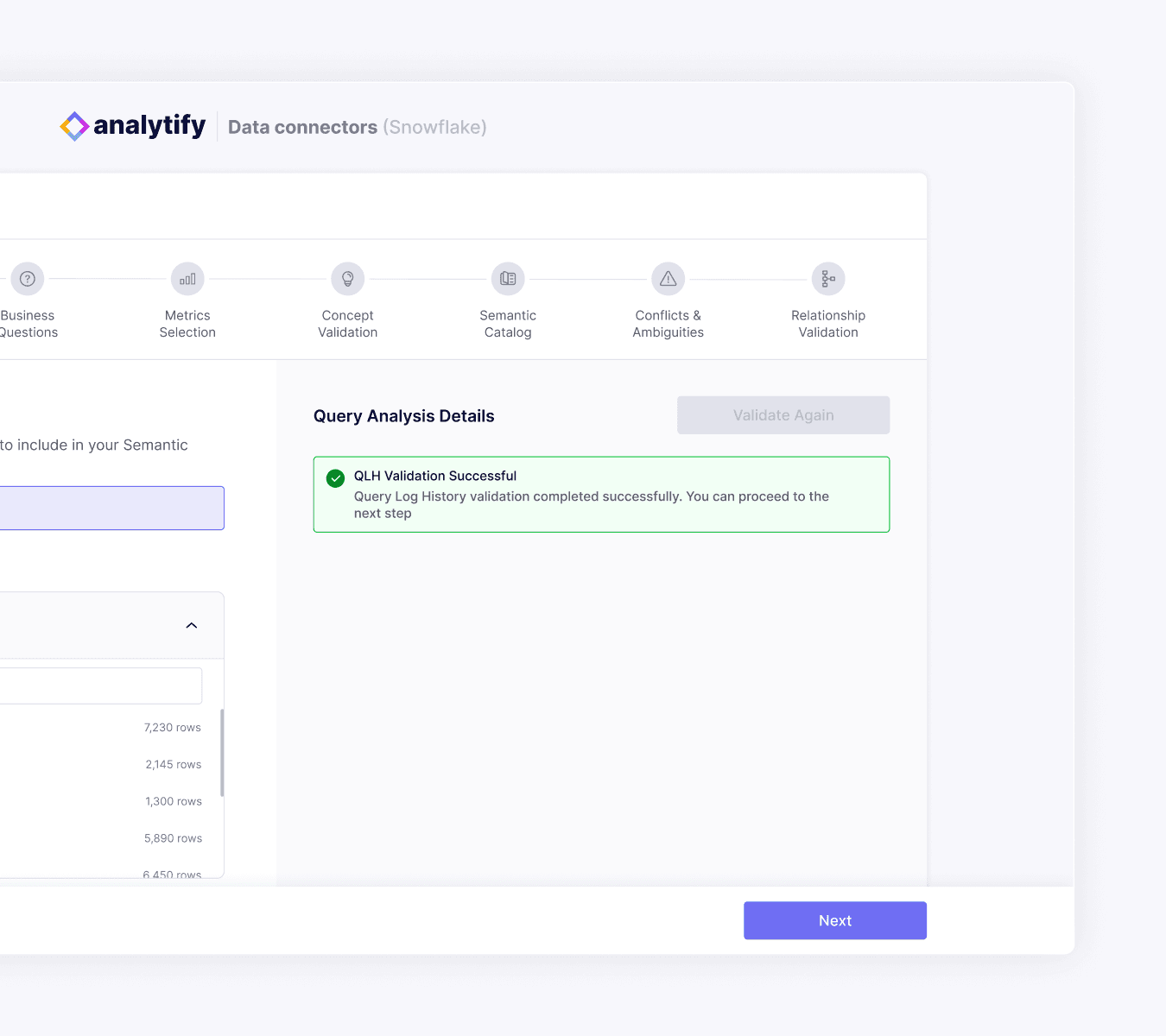
Designing the table selection step required balancing clarity and scalability, as each schema could include many tables while users were limited to selecting only a few.
Solution:
To reduce cognitive load and prevent selection errors, I designed a structured table hierarchy with search and visible selection feedback. Selected tables remain persistently visible and editable, while contextual metadata (table and row counts) supports informed decision-making. A fixed side panel anchors validation actions and error feedback, helping users maintain orientation throughout the step.

Challenge 3: System Processing Feedback
After table selection, the system performs background processing during which users cannot proceed, this can create a risk of uncertainty or frustration.
Solution:
I introduced a clear and human-centered feedback moment that communicates progress and estimated duration, making system activity visible and reassuring users that processing is underway.
Challenge 4: Define Your Goals stage
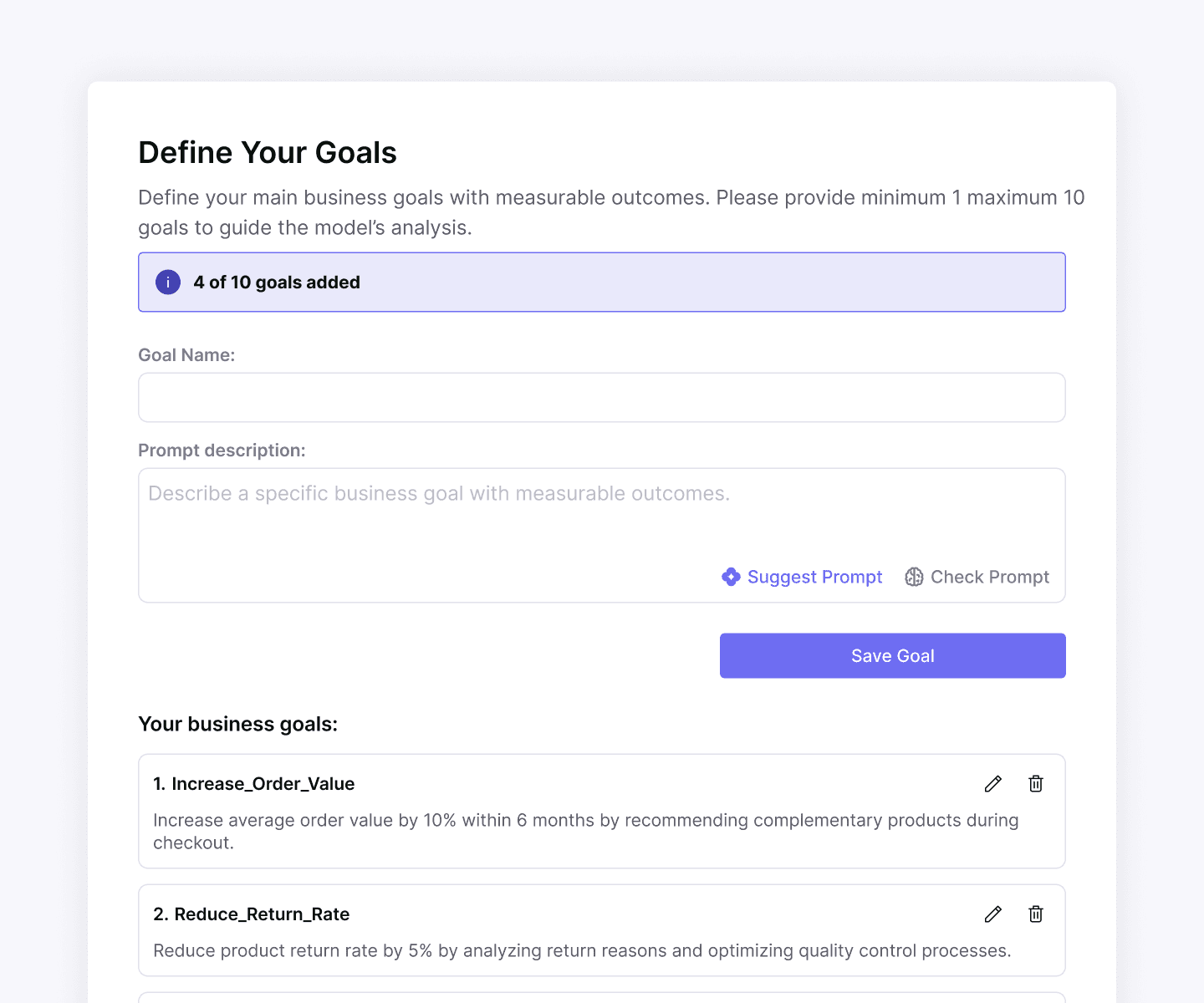
Users needed to formulate goal prompts that directly influence the system’s AI-driven analysis, requiring clarity and precision without overwhelming non-technical users.
Solution:
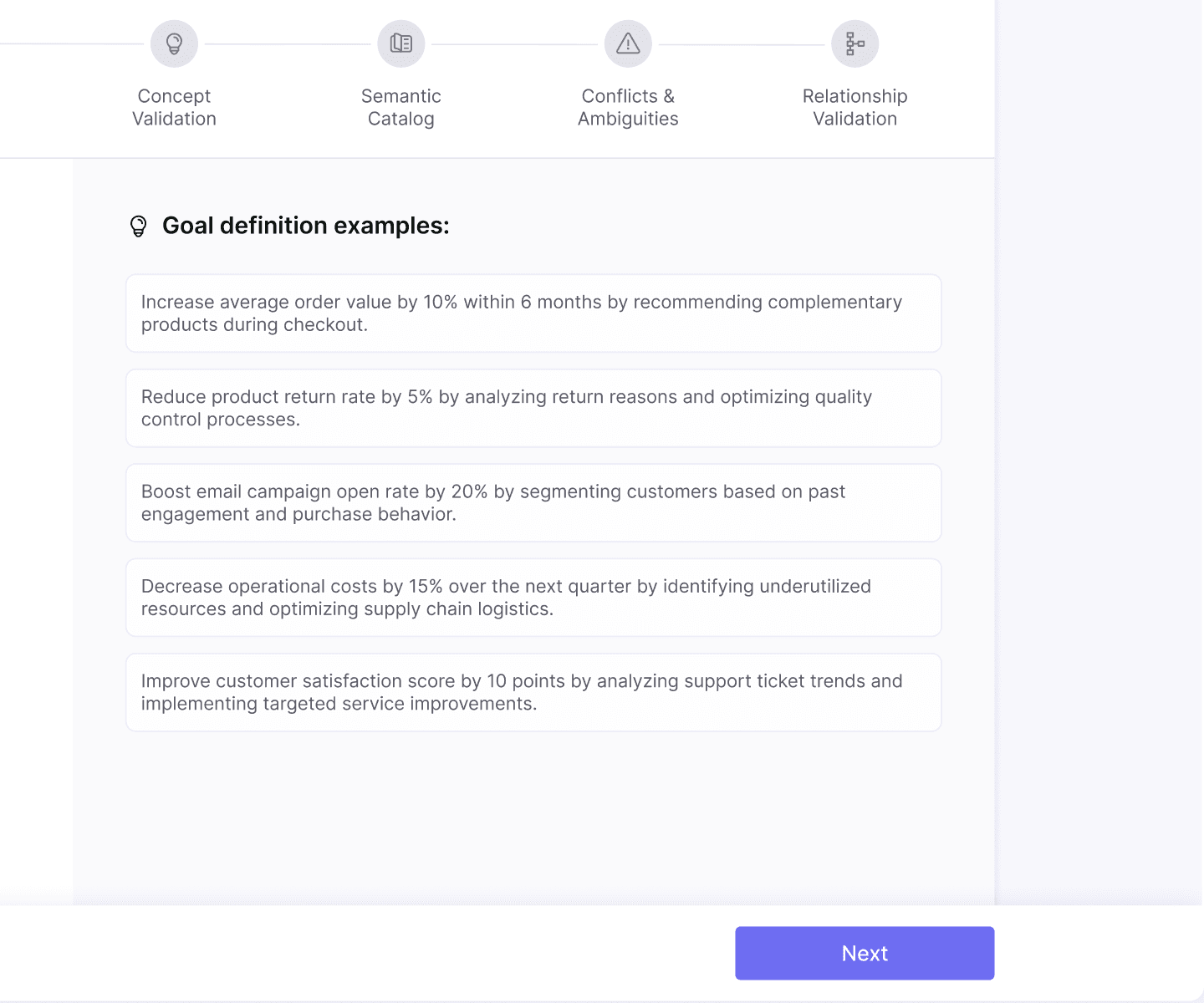
Clear prompt requirements were shown upfront. Users can check and improve their prompts with system suggestions, while examples remain visible at all times to support confident input.
Design system
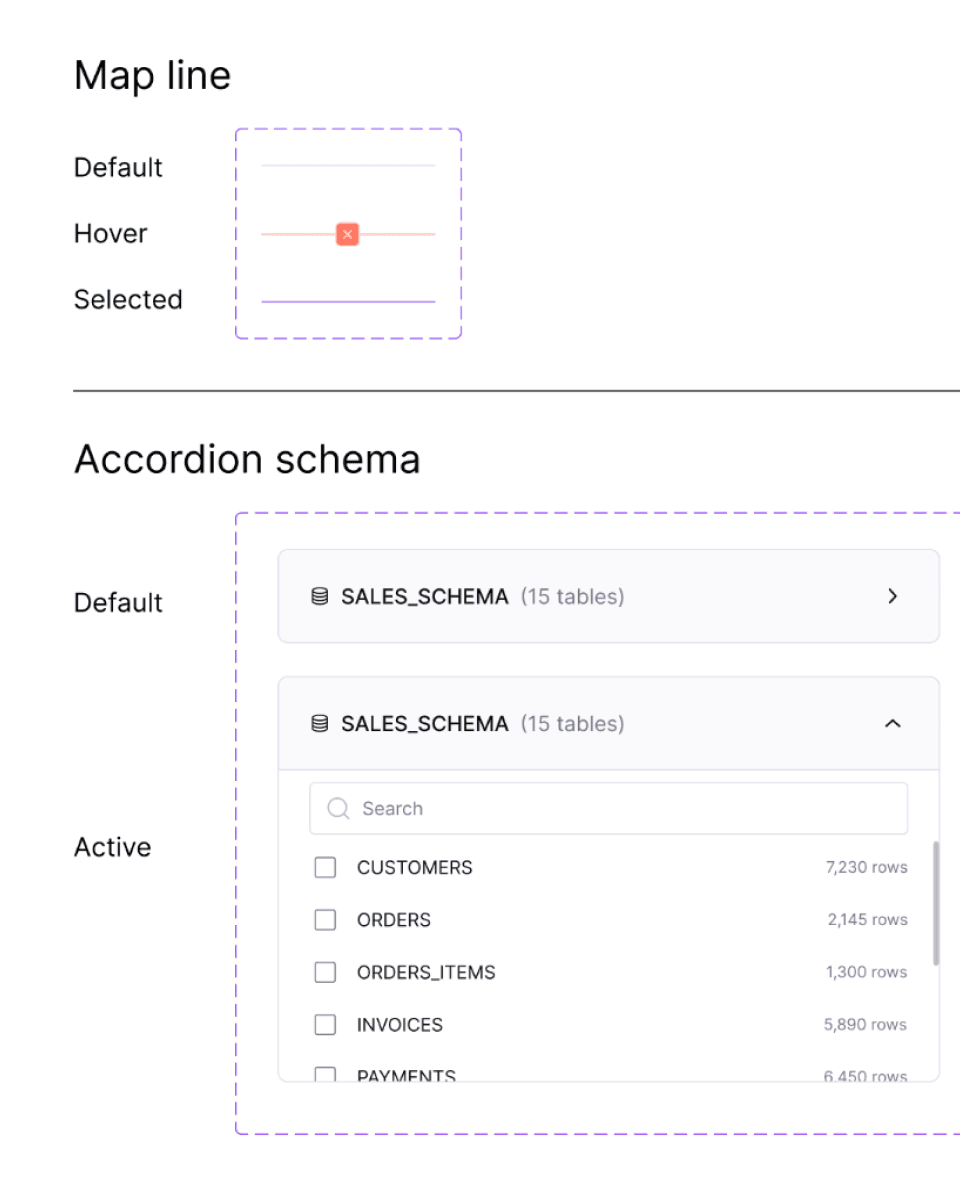
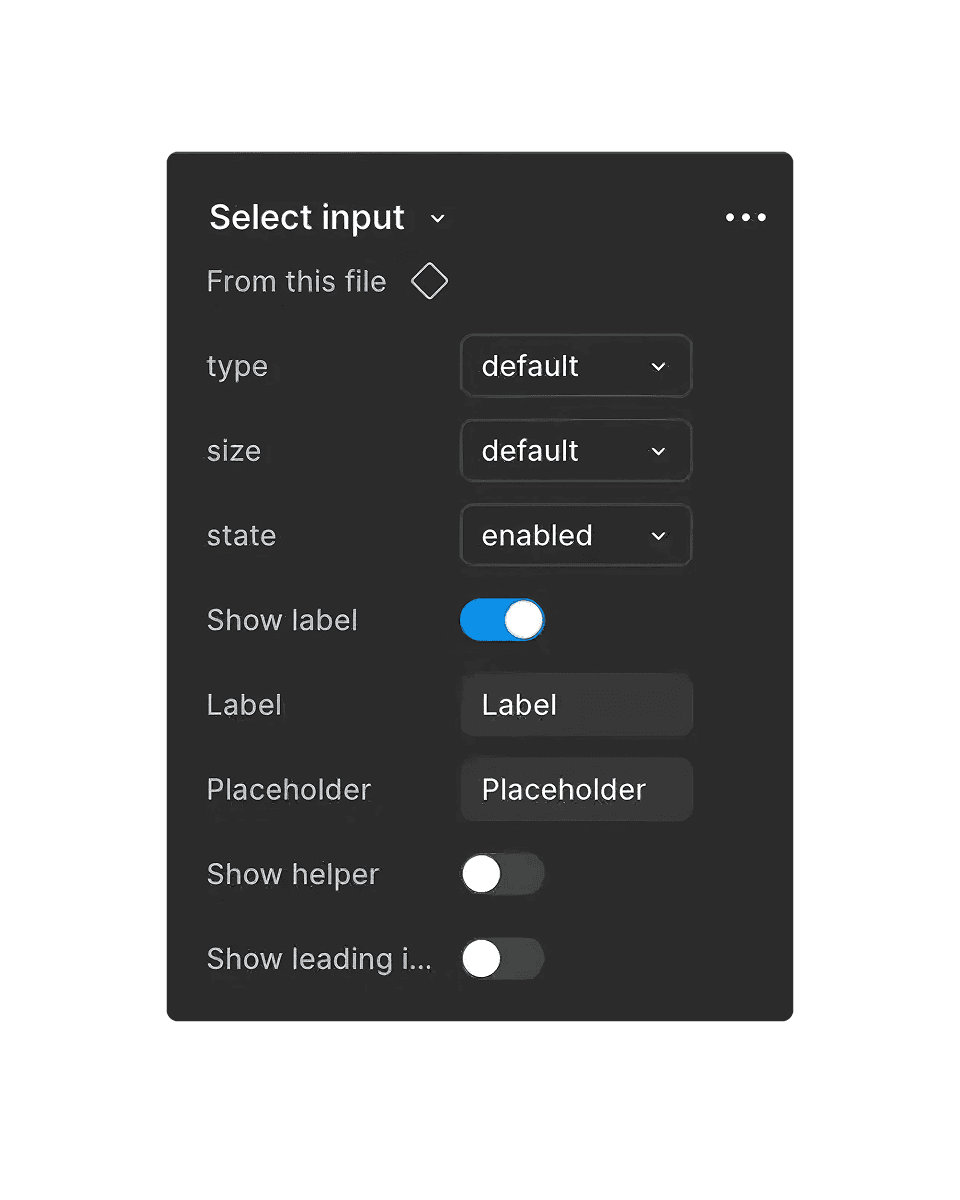
UI Overview
More Projects

Complex Systems
Analytify - AI Data Onboarding
Analytify is an AI-powered data platform. This case study focuses on the design of a self-service onboarding flow that enables executive users to independently connect data and define goals within a complex AI-driven system.
Role & Responsibilities :
UX & UI design, End-to-end flow definition, Design system contribution, Client collaboration
Tools :
Figma, After Effects
General Challenge
The challenge was to design a user-facing onboarding experience for a process that previously existed only as a technical, support-led workflow.
I needed to translate complex backend requirements and data operations into a clear, guided flow that executive users could complete independently - while making invisible system processes visible enough to build trust and confidence.
Specific Challenges & Solutions
Challenge 1: Conflicts & Ambiguities stage
This was defined by the client as the most complex step in the onboarding flow. The system surfaces data conflicts and ambiguities that could impact analysis accuracy, requiring users to actively participate in resolving them - without overwhelming non-technical executive users.
Solution:
Simplified conflict resolution by grouping issues into clear categories and revealing them progressively. Each issue is addressed individually through a focused resolution flow, combining system-suggested solutions with an optional manual SQL override. Clear resolution states reinforce progress and give users confidence that issues are handled correctly.
Challenge 2: Table Selection & QLH stage
Designing the table selection step required balancing clarity and scalability, as each schema could include many tables while users were limited to selecting only a few.
Solution:
To reduce cognitive load and prevent selection errors, I designed a structured table hierarchy with search and visible selection feedback. Selected tables remain persistently visible and editable, while contextual metadata (table and row counts) supports informed decision-making. A fixed side panel anchors validation actions and error feedback, helping users maintain orientation throughout the step.
Challenge 3: System Processing Feedback
After table selection, the system performs background processing during which users cannot proceed, this can create a risk of uncertainty or frustration.
Solution:
I introduced a clear and human-centered feedback moment that communicates progress and estimated duration, making system activity visible and reassuring users that processing is underway.
Challenge 4: Define Your Goals stage
Users needed to formulate goal prompts that directly influence the system’s AI-driven analysis, requiring clarity and precision without overwhelming non-technical users.
Solution:
Clear prompt requirements were shown upfront. Users can check and improve their prompts with system suggestions, while examples remain visible at all times to support confident input.
Design system
UI Overview
More Projects
Complex Systems
Analytify - AI Data Onboarding
Analytify is an AI-powered data platform. This case study focuses on the design of a self-service onboarding flow that enables executive users to independently connect data and define goals within a complex AI-driven system.
Role & Responsibilities :
UX & UI design, End-to-end flow definition, Design system contribution, Client collaboration
Tools :
Figma, After Effects
General Challenge
The challenge was to design a user-facing onboarding experience for a process that previously existed only as a technical, support-led workflow.
I needed to translate complex backend requirements and data operations into a clear, guided flow that executive users could complete independently - while making invisible system processes visible enough to build trust and confidence.
Specific Challenges & Solutions
Challenge 1: Conflicts & Ambiguities stage
This was defined by the client as the most complex step in the onboarding flow. The system surfaces data conflicts and ambiguities that could impact analysis accuracy, requiring users to actively participate in resolving them - without overwhelming non-technical executive users.
Solution:
Simplified conflict resolution by grouping issues into clear categories and revealing them progressively. Each issue is addressed individually through a focused resolution flow, combining system-suggested solutions with an optional manual SQL override. Clear resolution states reinforce progress and give users confidence that issues are handled correctly.
Challenge 2: Table Selection & QLH stage
Designing the table selection step required balancing clarity and scalability, as each schema could include many tables while users were limited to selecting only a few.
Solution:
To reduce cognitive load and prevent selection errors, I designed a structured table hierarchy with search and visible selection feedback. Selected tables remain persistently visible and editable, while contextual metadata (table and row counts) supports informed decision-making. A fixed side panel anchors validation actions and error feedback, helping users maintain orientation throughout the step.
Challenge 3: System Processing Feedback
After table selection, the system performs background processing during which users cannot proceed, this can create a risk of uncertainty or frustration.
Solution:
I introduced a clear and human-centered feedback moment that communicates progress and estimated duration, making system activity visible and reassuring users that processing is underway.
Challenge 4: Define Your Goals stage
Users needed to formulate goal prompts that directly influence the system’s AI-driven analysis, requiring clarity and precision without overwhelming non-technical users.
Solution:
Clear prompt requirements were shown upfront. Users can check and improve their prompts with system suggestions, while examples remain visible at all times to support confident input.
Design system
UI Overview